Deal Considerations
Deal Considerations can be found on the Deal Summary page.
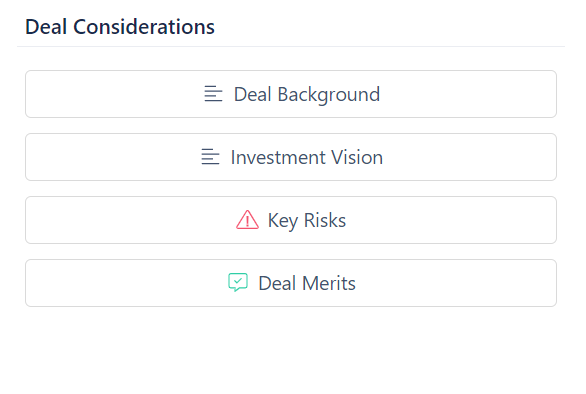
Edit Deal Considerations
Deal Background and Investment Vision
To create or edit Deal Background or Investment Vision:
- Click on the item you want to create or edit
- Add or edit text
- Click Save
Key Risks
To add a key risk:
- Click on Key Risks
- Click on + New Key Risk
- Enter a title, risk description, and mitigant
- Click Create Key Risk
To edit a key risk:
- Click on Key Risks
- Click on the down arrow on the right side of the key risk
- In the dropdown menu, choose Edit
- Edit the title, risk description, and mitigant as needed
- Click Update
To delete a key risk:
- Click on Key Risks
- Click on the down arrow on the right side of the key risk
- In the dropdown menu, choose Delete
- Click Yes, Delete
Deal Merits
To add a deal merit:
- Click on Deal Merit
- Click on + New Deal Merit
- Enter a title and description
- Click Create Deal Merit
To edit a deal merit:
- Click on Deal Merit
- Click on the down arrow on the right side of the deal merit
- In the dropdown menu, choose Edit
- Edit the title and description as needed
- Click Update
To delete a deal merit:
- Click on Deal Merit
- Click on the down arrow on the right side of the deal merit
- In the dropdown menu, choose Delete
- Click Yes, Delete