Analyses
The Underwriting Analysis page will allow you to create multiple analyses for a deal. Within each anlysis, you will be able to store specific metrics.
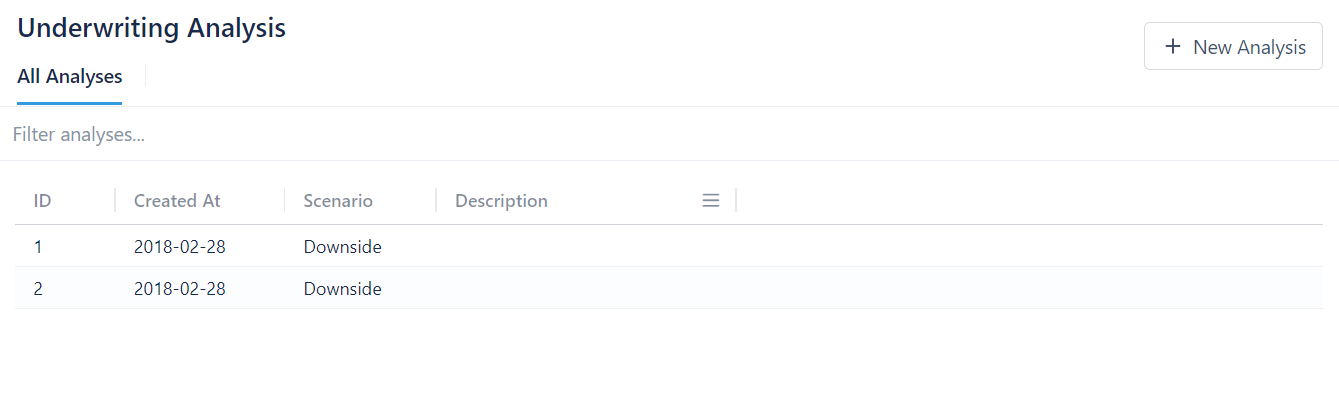
To create a new analysis:
- Click + New Analysis
- Select a Scenario value from the dropdown menu
- Enter a description
- Click Create Analysis
To delete an analysis:
- Click on the analysis you want to delete
- Click on the arrow next to Analysis Instance
- Select Delete
- Select Yes, delete this analysis
Metrics
When you click on an analysis, you will be taken to a page with the analysis details. Here you can edit the analysis scenario and description.

If you want to add new metrics, you will need to click on Metrics.
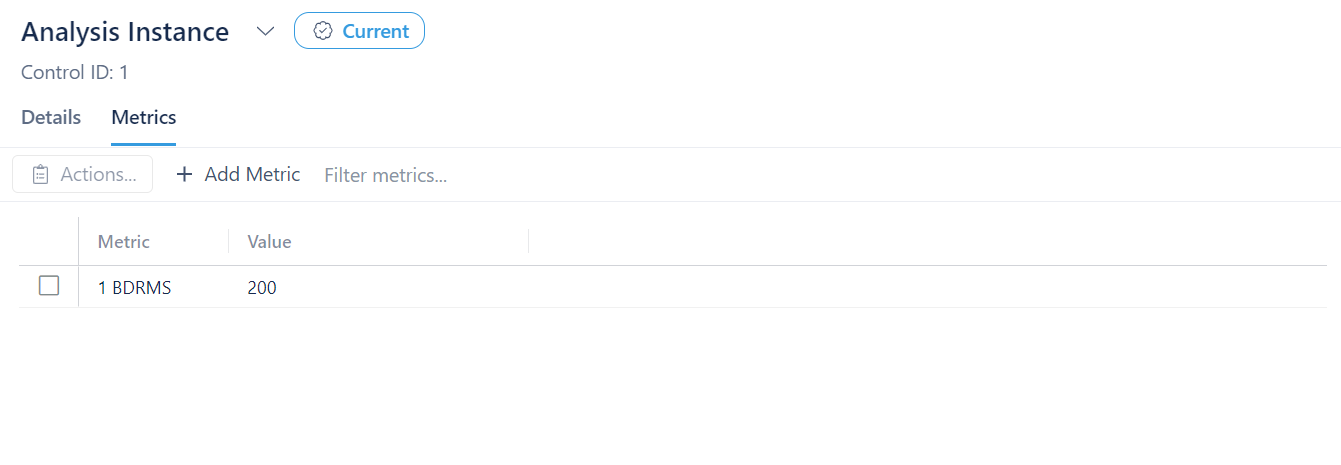
To add a metric:
- Click + Add Metric
- Select the metric you want to add from the dropdown menu
- Enter the value
- Click Add Metric
If the metric you want is not listed, see UW Analysis Configuration to learn how to create new metrics.
To edit a metric:
- Double click the value of the metric you want to edit
- Change the value as desired
- Hit enter
To remove a metric:
- Click on the box next to the metric you want to delete
- Click on Actions
- Select Delete selected metric
To archive an analysis:
- Click on the arrow next to Analysis Instance
- Select Archive
- Click Archive this analysis
To duplicate an analysis
- Click on the arrow next to Analysis Instance
- Select Duplicate
Current Analysis
You may have noticed that next to Analysis Instance there is a tag that says Current. This is relevent when dealing with Financial Analysis on our Deal Summary page. The Financial Analysis section will only draw metrics from our "current" analysis.
To make an analysis the "current" analysis:
- Go to the analysis you want to make the "current" analysis
- Click on the arrow next to Analysis Instance
- Select Set as "Current" analysis
- Select Yes, set as "Current" analysis