Deal Checklists
The Checklists page will show you all the checklists that have been assigned to a deal. Each checklist will have its own page. When you click on a specific checklist, you will will be able to see all the checklist's items and their current status. The items are split into groups that can be expanded and collapsed by clicking the arrow next to the group name.
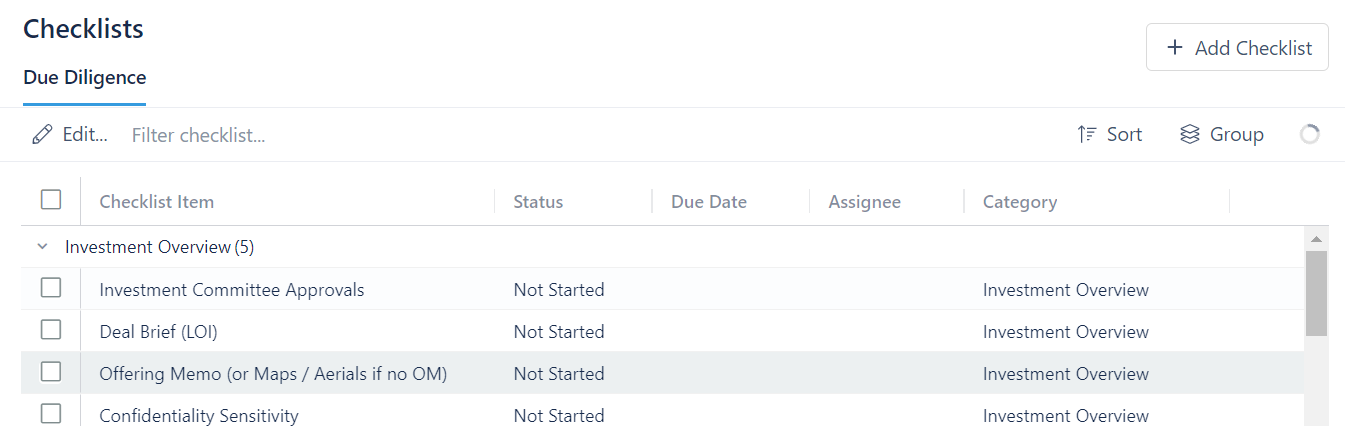
In the picture above, you can see that this deal has one checklist called Due Diligence.
Add a Checklist
To add a checklist:
- Click + Add Checklist
- Select the Checklist from the dropdown menu
- Click Add Checklist
This will not create a new checklist. Adding a checklist simply adds a preexisting checklist to the deal you are working on. If you need to create a new checklist, see Checklist Configuration.
Remove a Checklist
To remove a checklist:
- Go to the checklist you want to remove
- Click Edit
- Select Remove checklist from current deal