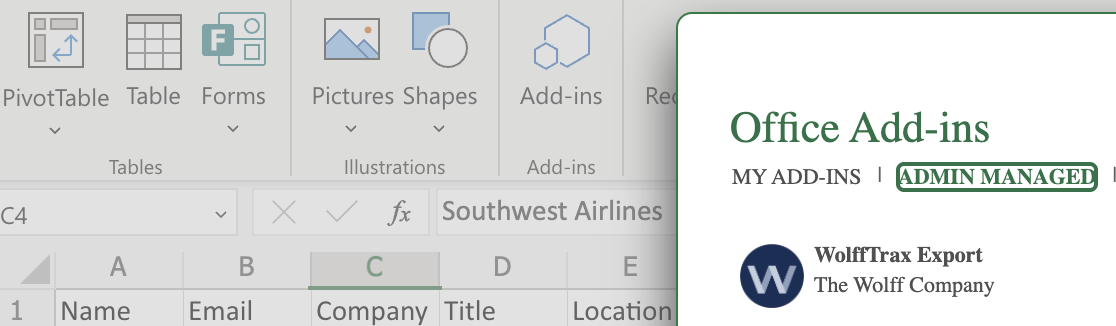
Overview: Excel Add-In
The Excel Add-In allows excel based models to be exported from excel and into WolffTrax directly.
Details on how to configure your excel sheet in order to export it can be found in the... Help Guide on Configuring the Excel Add-In.
Access To The Excel Add-In
Access to the WolffTrax Excel Add-In is only given to those who require it. If you haven't been granted access but require it, reach out to IT.
Once you have been granted access, check that it was successful by completing the following steps:
- Click on the "Insert" tab within excel.
- Click on "Add-Ins" (usually in the top left-hand area)
- Click on "Admin Managed"
- An excel add-in named "WolffTrax Export" should appear. Select it and then click "Add" in the bottom right. Congrats!
- If the add-in doesn't appear, try refreshing or contacting IT again.