Overview
The Project Schedule show the a deal's timeline with its phases and milestones.
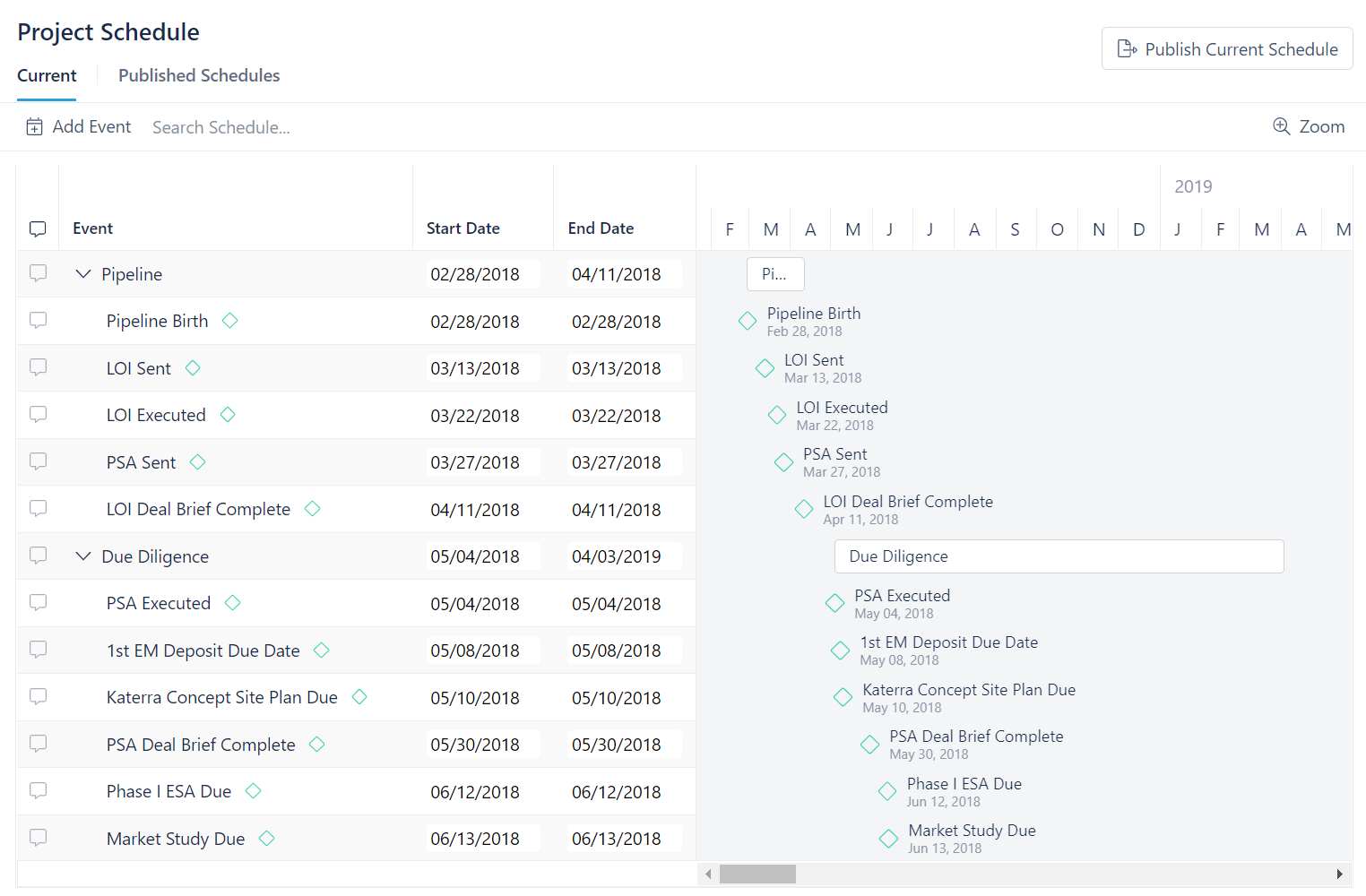
On the left side of the Project Schedule page you will see the deal's events. Events are either phases or milestones. A phase is generally made up of several milestones. The list you see is a list of phases and milestones in chronological order. These phases and milestones also appear on a calendar to the right. These phases can be collapsed to hide the milestones from view. This is done by clicking on the down arrow to the left of the phase name.
The calendar moves left to right and, by default, shows only months and years. Using the Zoom button in the top right corner, you can choose to break the calendar down to months, weeks, and days.
The Project Schedule also allows members to comment on phases and milestones. This is done by clicking on the message box to the left of a phase or milestone name.
Add Event
The Add Event button can be used to add a new phase or milestone.
To add an event:
- Click on Add Event
- Select an event from the dropdown menu
- Click Add Event
- Find the event on the calendar and select a start date and end date
If the event you want to add is not listed see Schedule Configuration to learn how to add a new event.
Publish Current Schedule
To publish the current schedule:
- Click on Publish Current Schedule in the top right corner
- Provide a description for the schedule
- Click Publish Schedule
Published Schedules
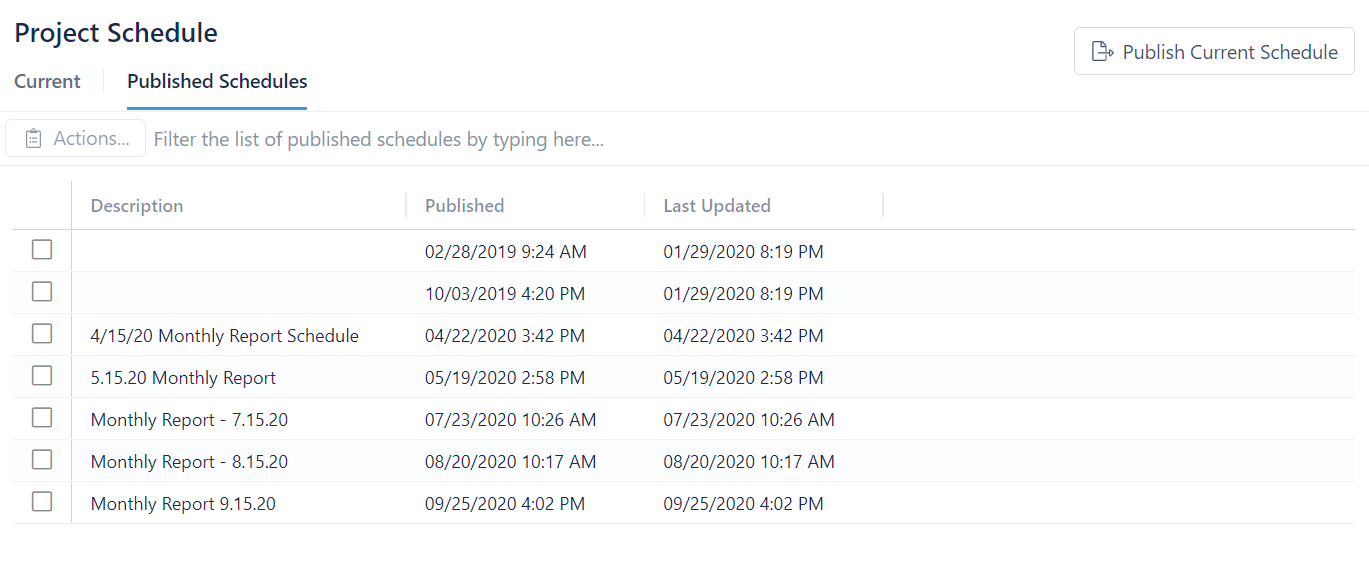
To see previously published schedules, simply click on the Published Schedule. You can look for a specific schedule using the search bar at the top.
Delete Published Schedules
To delete a published schedule:
- Go to Published Schedules
- Click on the box next to the description of the schedule you want to delete
- Click Actions
- Click Delete published schedule
- Select Yes, delete published schedule