WolffTrax is a project management tool built for handling real estate transactions. In particular, it can be used to help with the sourcing, developing, acquiring, or disposing of your various projects. The platform not only provides general project management functionality, but also includes features specific for dealing with real estate projects.
This overview will provide a general look at the structure of data on the platform and how it will help you to organize and manage your projects.
Overview
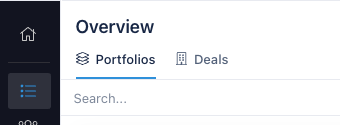
As a user of the platform, all of the data you interact with will be housed within an Organization. By default, you will be a member of at least one organization, though you can belong to many. Because each Organization has its own set of data, your activity is not tracked or visible to anyone outside of the Organization that you are actively using. This means that within WolffTrax, data never crosses organizational boundaries.
For more information about Organizations and managing Organizations, see Organizations Overview.
Every Organization houses the following information:
- Deals
- Portfolios
- Approval Packages
- Contacts (Coming Soon)
Each of these items are related in the following way:
Deals
Organizations can contain many Deals, with each deal being the place where an individual investment opportunity has its data tracked. This can represent any real estate project, from a multifamily development project to the disposition of a senior living facility. For a more in depth look at the detail of a Deal, see Deals Overview.
Portfolios
Simply put, a Portfolio is a grouping of one or more deals. Deals aggregated under the umbrella of a Portfolio can be accesssed from a single location. From within a portfolio, reports can be created to view the status of all deals in a Portfolio at the same time.
More information about how a Portfolio can be used to manage a group of projects can be found in the Portfolios Overview section.
Approval Packages
Approval Packages are the means by which the teams within your Organization can track the approval status of a Deal throughout its lifetime. Each Approval Package is direclty associated with a Deal and has an assigned set of users designated as Approvers. The platform makes it easy to track which deals need approval and provides all the contextual data necessary for someone to give an approval or rejection of a give Deal plan. More information can be found in the section that covers Approval Packages.